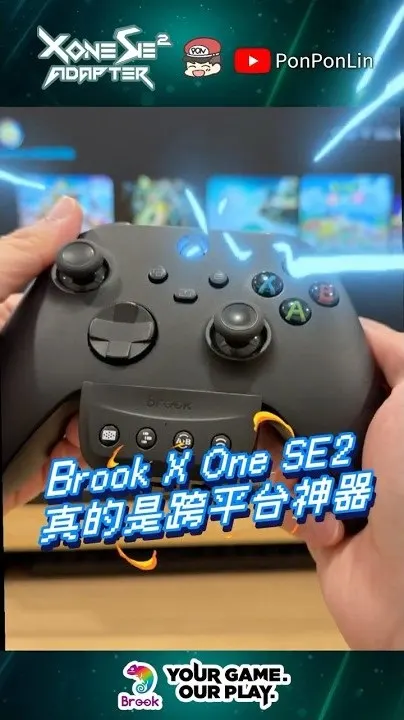
Why can't an Xbox controller play Switch 2 directly?
Each console only recognizes its own controller format, so even a great Xbox controller or an Elite Series 2 does nothing when plugged into a Switch 2 or PS5. The adapter translates the Xbox controller's signal into something the console understands.
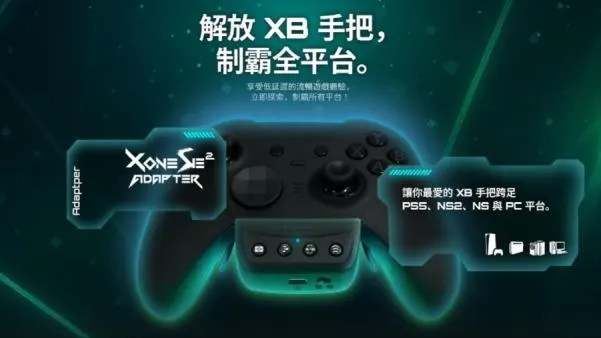
What you need
An Xbox Wireless Controller (Type-C version), Elite Series 2 or Elite Series 2 Core, a Brook X One SE2 adapter, and a USB-C cable. PC and Xbox consoles already support Xbox controllers, so the adapter is for Switch 2, Switch and PS5.
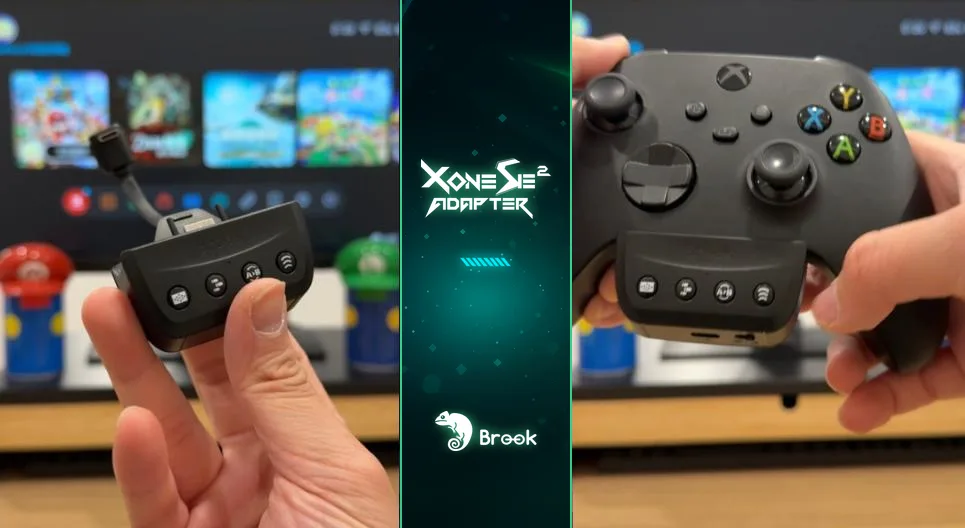
Setup steps (Switch 2)
- Plug the X One SE2 into the connector on the bottom of the Xbox controller
- Flip the controller over. Plug the Micro-USB end of the included cable into the adapter and the Type-C end into the controller's top port, keeping the cable flat against the controller
- Set the adapter's slide switch to "NS" (set it to "PS" for PS5)
- For the first setup, connect to the Switch 2 with a USB cable to pair, then unplug it
- Press the Xbox button to wake the controller. The adapter's LED blinks blue, and solid blue means you're connected
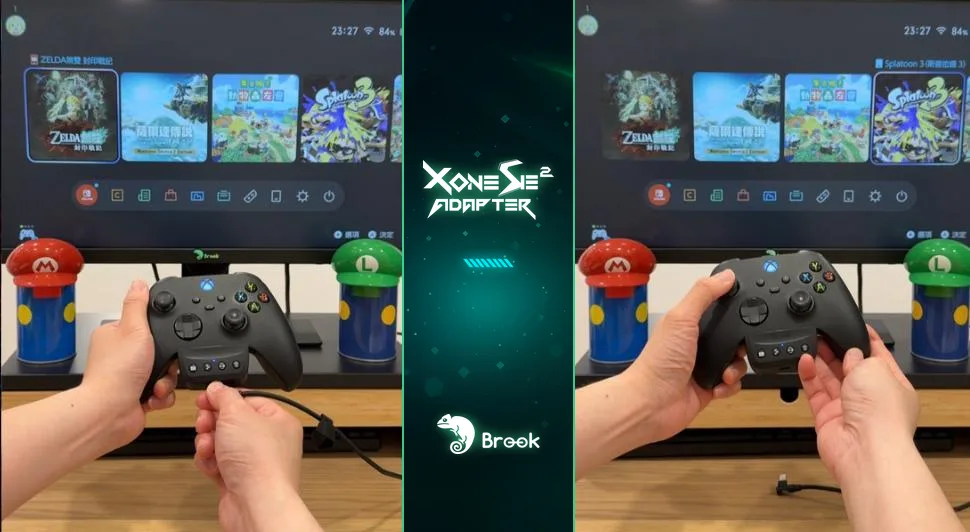

After that, just press the Xbox button to wake the controller. No cable needed. PS5 works the same way with the slide switch set to "PS".
Turbo, hold and remap (no PC needed)
Press the Turbo button together with the button you want. The controller vibrates to confirm. Works on A, B, X, Y, LB, RB, LT, RT, LSB, RSB and the Elite Series 2's four paddles. Press the same combo again to cancel; hold the Turbo button for 2 seconds (3 vibrations) to clear all.
Press the Hold/Wireless pairing button together with the button you want held (D-pad, A, B, X, Y, LB, RB, LT, RT, LSB, RSB or a paddle). After the vibration, let go and that button stays pressed. Press that button again to cancel. It works with turbo and remap too: set hold on a turbo button and it keeps firing with your hands off.
Step 1: press the Remap button together with the button to change; the LED turns off. Step 2: press the button(s) you want assigned to it (you can press several at once). The controller vibrates, and the LED comes back on when you let go. Example: turn A into X + Y. Hold the Remap button for 2 seconds to clear all.
Switch 2 test: motion, turbo and hold
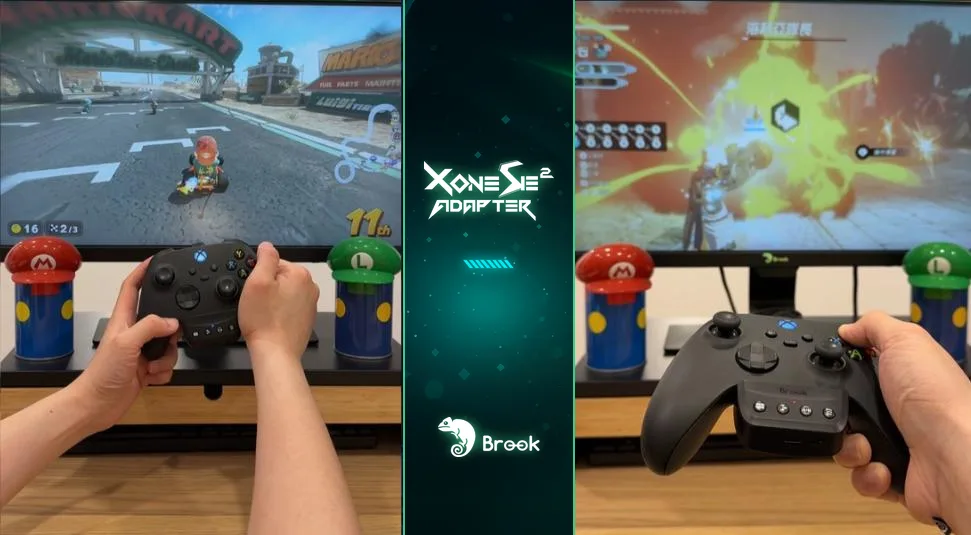
The X One SE2 supports 6-axis motion. I tested motion steering in Mario Kart World with no problems, and used turbo and remap in Hyrule Warriors: Age of Imprisonment. My favorite is hold: early in Pokémon Pokopia you smash a lot of rocks and chop a lot of trees, and with hold on, one press does it. Much easier on the thumb.
PS5: the touchpad works too
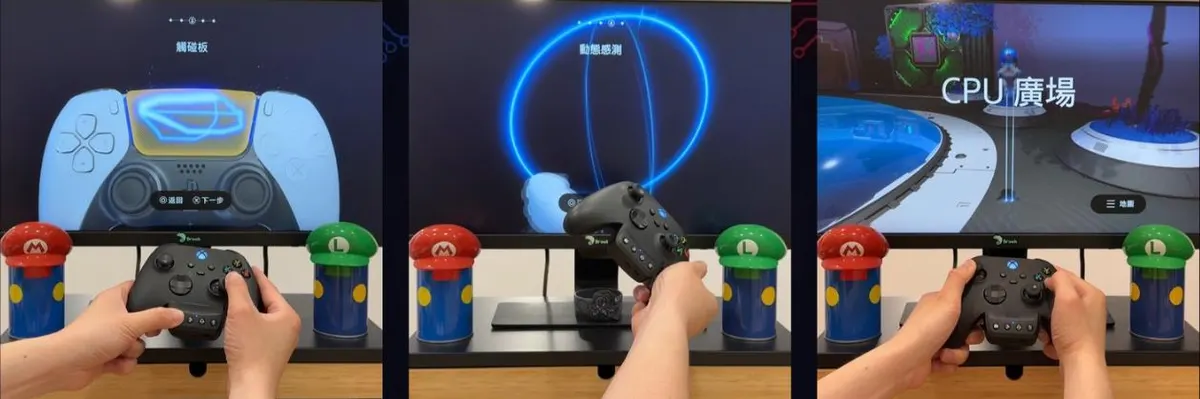
An Xbox controller has no touchpad, so the X One SE2 emulates it with the Capture/Touchpad simulate button on the adapter plus the right stick. Easy mode: press the button to press the center of the touchpad; push the right stick left or right while pressing it to press the left or right side. Full mode: hold the button down and the right stick slides across the touchpad; click the right stick (RSB) to press it. Let go to return to easy mode. I tested it in Astro Bot and every swipe puzzle worked.
Keep the firmware updated
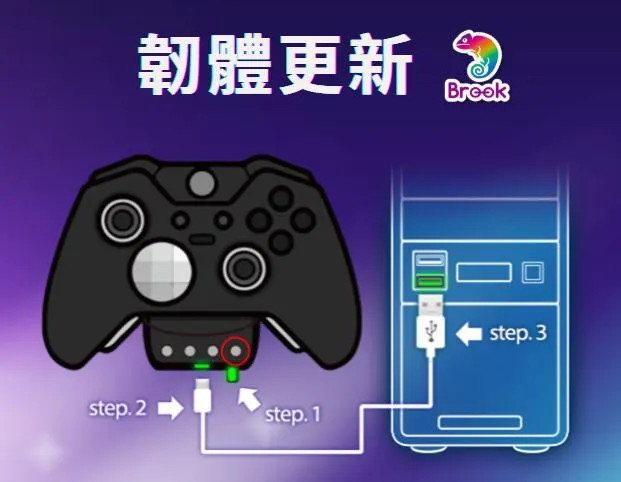
After a console system update, the adapter may need one too. Connect it to a computer and update the firmware with Brook Converter Center to stay compatible with the latest consoles and games.
Other options: Wingman NS Lite and Wingman P5s
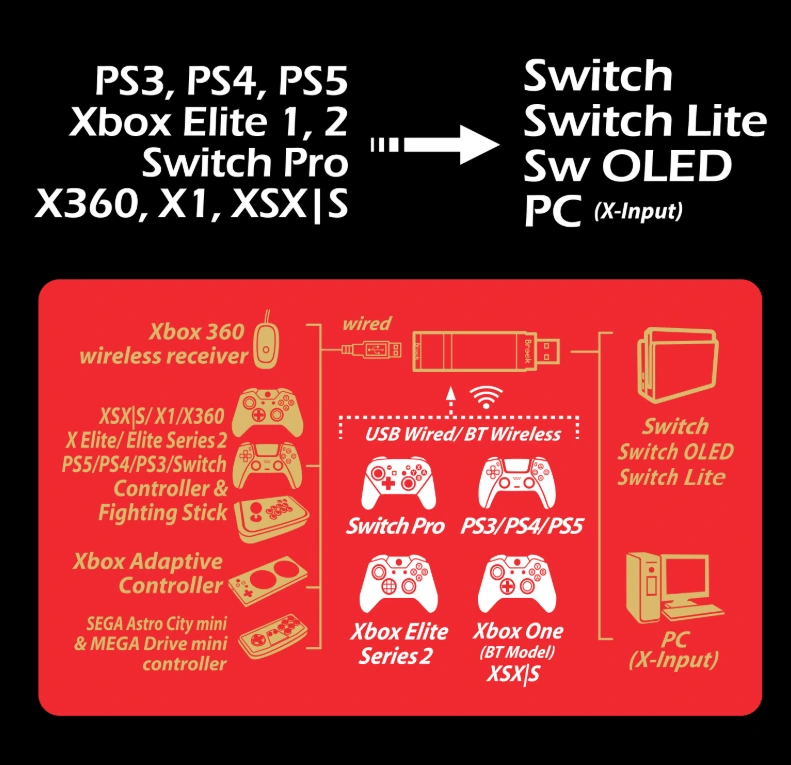
The X One SE2 mounts on your Xbox controller, so one controller can play PS5 and Switch 2. If you own controllers from several brands, Brook's Wingman series is another route: these plug into the console instead. The Wingman NS Lite connects PS5, PS4, Xbox (including Elite Series 2) and Switch Pro controllers, and even fightsticks, to Switch, Switch 2 and PC. The Wingman P5s supports Switch 2, Switch, PS5, PS4 and PC. In short: Xbox controller only, and you want motion and touchpad emulation? Pick the X One SE2. Lots of different controllers? Pick a Wingman. I use my Brook StarRay with a Wingman NS Lite on Switch 2, and Mario Kart World and Pokémon Pokopia both work fine.

The middle position of the slide switch turns the adapter off for Xbox consoles and PC. In that mode, touchpad emulation, motion, remap, turbo and hold don't work. If you want turbo or remap on PC, the manual recommends the "PS" mode. Also, on Switch the Xbox A/B and X/Y buttons map by position, not by letter.
FAQ
Can an Xbox controller connect to Switch 2 over Bluetooth?
No. You need an adapter such as the Brook X One SE2.
Which Xbox controllers does the adapter support?
The Xbox Wireless Controller (Type-C version), Elite Series 2 and Elite Series 2 Core.
Can I still play wireless with the adapter?
Yes. Pair once with a cable, then press the Xbox button to wake it. Solid blue means connected.
Does it support motion controls on Switch 2?
Yes, the X One SE2 supports 6-axis motion.
Are there other adapters besides the X One SE2?
Yes. The Brook Wingman NS Lite and Wingman P5s plug into the console and work with controllers from many brands. If you only use an Xbox controller, the X One SE2 has the most complete feature set.
How do I press Home and Capture on Switch 2?
Home is the Xbox button in the middle of the controller. Capture is the Capture/Touchpad simulate button on the adapter.
Watch the Shorts test